Split any video into perfect Instagram Stories
Instagram caps every Story clip at 60 seconds. Upload anything longer and Instagram cuts it into 60-second pieces itself — wherever the 60-second mark lands: mid-sentence, mid-move, mid-punchline.
Split Video Into Parts cuts your video into exact 60-second segments before you upload, so you decide where every part ends. Export in full quality and post the slides in order.
Instagram Story limits in 2026
What you are working with when you post video Stories today.
| Max length of one Story clip | 60 seconds |
|---|---|
| Longer videos | Instagram cuts them into 60-second clips |
| Recommended format | Vertical 9:16 (1080 × 1920) |
| Split interval to use in the app | 60 seconds |
Checked in October 2026. Instagram rolls out changes gradually, so some accounts may see slightly different limits.
Instagram's own splitting or the app?
If you don't mind where the cuts fall, Instagram's automatic splitting is enough.
| Split Video Into Parts | ||
|---|---|---|
| Where cuts land | Where you choose — move any cut before export | Every 60 seconds, wherever that falls |
| Editing a cut | Drag the range or type a timecode | A trimmer for each clip |
| Shorter slides | Any length — 15, 30, 45 seconds | 60-second clips |
| Reusing the parts | Saved to Photos — post them anywhere, any day | Only inside that Story |
| Price | Free for short videos, long videos with Pro | Free |
| Best for | Clean cuts, series, posting on several platforms | A quick Story when cut points don't matter |
Instagram features checked in October 2026.
How to split a video for Instagram Stories
Pick your video
Open Split Video Into Parts and choose a clip from your library or Files, up to 4K.
Tap Duration → 60 seconds
Set 1 min 0 sec and tap Done. The app slices the whole video into Story-sized parts automatically.
Fine-tune the cuts
Drag the range slider or type frame-exact timecodes so no sentence gets chopped mid-word.
Export & post in order
Save all parts to Photos in full quality, then upload them to your Story one after another.
Why not just let Instagram cut it?
No awkward mid-word cuts
Instagram's auto-split ignores what is happening in your footage. Splitting first means every slide ends where you want it to.
Slides stay in order
Parts are exported numbered and ready to upload sequentially, so your story plays like one continuous video.
Quality survives the trip
Parts keep the original resolution, so your Story only goes through Instagram's compression once, not twice.
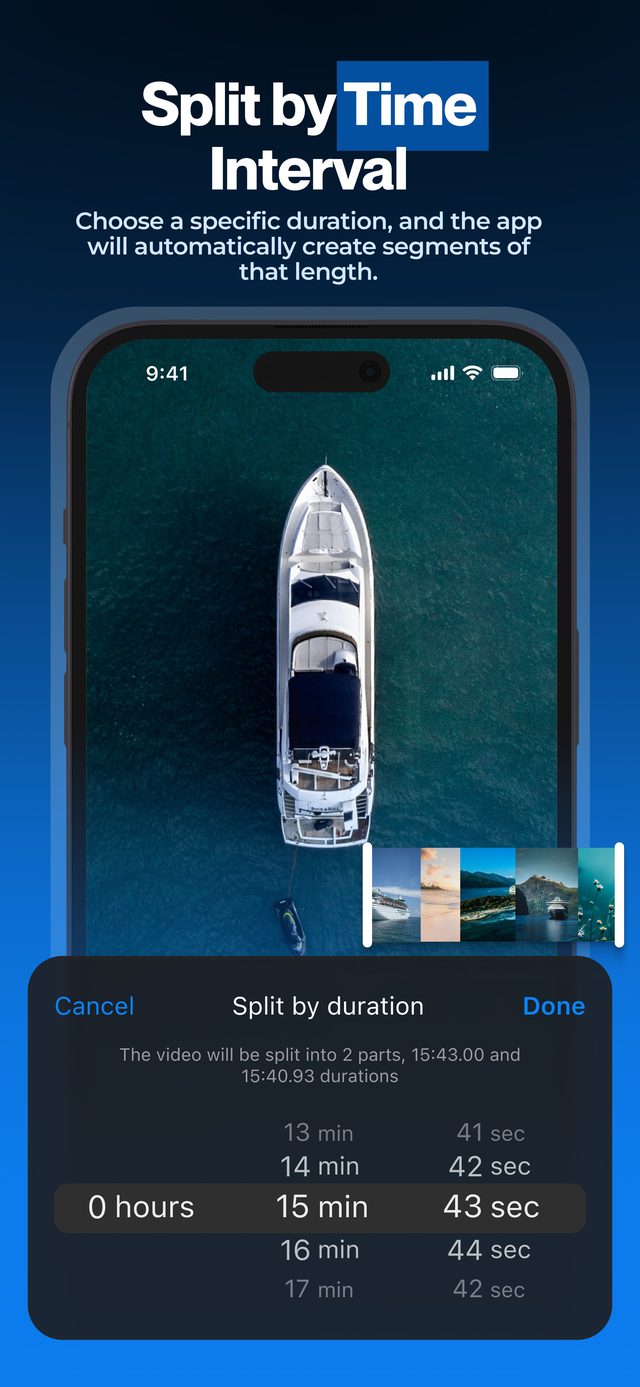
Set the interval once and the app does the math for the whole video — a 10-minute vlog becomes ten clean Story slides in seconds, right on your iPhone.
Frequently asked
How long can an Instagram Story be in 2026?
Each Story clip can be up to 60 seconds. If you upload a longer video, Instagram breaks it into 60-second clips automatically — at fixed marks, not where your scenes change.
Doesn't Instagram split long videos into Stories automatically?
Yes — it cuts a long video into 60-second clips, and on iPhone you can trim each one. But the cuts land every 60 seconds. Splitting first lets you decide where each slide begins and ends, and keep the parts for other platforms.
Will my video lose quality?
No. The parts keep the original resolution and frame rate, so your Stories look like the original footage. Turn on HDR Video (Pro) to keep iPhone HDR.
My video is horizontal — will it work?
Yes. The app keeps the original aspect ratio. Vertical 9:16 fills the Story screen best, so consider cropping horizontal footage in Photos before or after splitting.
Is the app free?
Yes, to download and to split short videos. Long videos, HDR export, muting and your own watermark come with Pro.
Can I put two videos in one Instagram Story?
Not with this app — it cuts one video into several. To show two or more videos in one Story frame, use our other app, Video Grid Collage: how to put multiple videos in one Instagram Story.
More ways to split
Start splitting videos in seconds.
Free download. No account required. Works offline.
Download on theApp Store