Post a long video to WhatsApp Status, 90 seconds at a time
WhatsApp has grown the Status video limit from 30 to 60 and now to 90 seconds — but for anything longer it only offers a trimmer, and trimming pieces by hand for every status gets old fast.
Split the whole video into exact 90-second parts once, then post them in order. Viewers watch your statuses back to back like one continuous video.
WhatsApp Status limits in 2026
The current rules for video statuses.
| Max Status video length | 90 seconds |
|---|---|
| Longer videos | WhatsApp trims them to 90 seconds — it doesn't split |
| Split interval to use | 90 seconds (or 60 for older app versions) |
| Playback | Statuses play one after another, in posting order |
Checked in October 2026. WhatsApp raised the limit from 30 to 60 seconds in 2024 and to 90 seconds in 2025. If your contacts use older app versions, 60-second parts are the safer choice.
WhatsApp's trimmer or the app?
For a clip under 90 seconds WhatsApp needs no help. For a longer one it can only cut the rest off.
| Split Video Into Parts | ||
|---|---|---|
| Video longer than 90 seconds | Split into 90-second parts — nothing is lost | Trim to 90 seconds — the rest is cut off |
| Whole video in Status | Yes, as several statuses in a row | Only by trimming and posting piece by piece |
| Cut points | Exactly every 90 seconds, or where you choose | Where you drag the trimmer |
| Price | Free for short videos, long videos with Pro | Free |
WhatsApp features checked in October 2026.
How to post a long video to WhatsApp Status
Pick the video
Import from your library — a family event, a trip, a product demo.
Tap Duration → 90 seconds
Set 1 min 30 sec and tap Done. The app slices the whole video into status-sized parts.
Check the cut points
Move any cut with the slider so parts do not end mid-sentence.
Post parts in order
Upload them one after another — they play back seamlessly for viewers.
Made for sharing, built for privacy
Exact 90-second parts
No more trimming the same video five times by hand — the app does the whole file in one pass.
Order preserved
Numbered exports mean part 3 never sneaks in before part 2.
Nothing leaves your phone
Family videos are processed 100% on-device. No uploads, no cloud, no accounts.
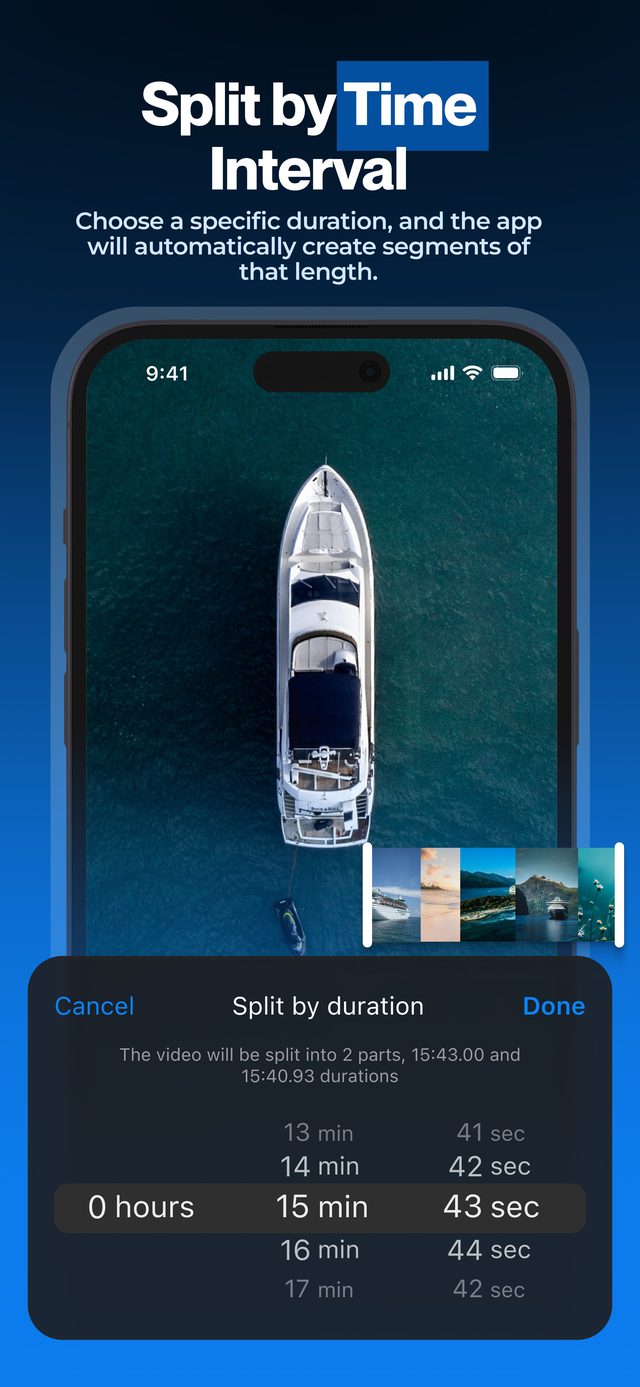
A 6-minute video becomes four clean 90-second statuses. Post them in order and your contacts watch the whole thing without missing a beat.
Frequently asked
What is the WhatsApp Status video limit in 2026?
90 seconds per status. WhatsApp raised it from 30 to 60 seconds in 2024 and to 90 seconds in 2025. Older app versions may still use the shorter limits.
How do I post a video longer than 90 seconds?
Split it into 90-second parts with the app and post the parts sequentially. Viewers see them as consecutive statuses that play one after another.
Will viewers watch the parts in the right order?
Yes — WhatsApp plays statuses in the order you posted them, so export numbering makes it foolproof.
Does splitting reduce quality?
No. Parts keep the original resolution and frame rate. WhatsApp applies its own compression on upload, but you avoid compressing twice.
Is my video uploaded anywhere?
Never. All processing happens on your device, which matters when you are splitting personal and family videos.
More ways to split
Start splitting videos in seconds.
Free download. No account required. Works offline.
Download on theApp Store