How to send a long video on WhatsApp
Send a long video on WhatsApp the usual way and it gets compressed — to 720p at best, with HD — and very long videos may not go through at all. Sent as a document, a file of up to 2 GB arrives in its original quality.
Here is what WhatsApp can do on its own, when splitting the video into parts is the better way, and how to do it on iPhone in a minute.
WhatsApp video limits
What WhatsApp accepts in a chat today.
| Video sent as a document | Up to 2 GB, original quality |
|---|---|
| Regular video message | Compressed; HD sends 720p |
| HD by default | Settings → Storage and data → Media upload quality |
| Status | Up to 90 seconds per update |
Checked in October 2026. One minute of iPhone 4K at 60 fps is about 400 MB, so a little over 5 minutes already fills 2 GB.
WhatsApp alone, or split first?
For most videos WhatsApp is enough — sent as a document. Splitting helps with files over 2 GB and with Status.
| Split Video Into Parts | ||
|---|---|---|
| Video up to 2 GB | Not needed — send it as a document | Sends it as a document in original quality |
| Video over 2 GB | Split into parts under 2 GB, send them in order | Can't send it in one piece |
| Long video for Status | Split into 90-second parts, post them in a row | Trim to 90 seconds — the rest is cut off |
| Quality | Original resolution in every part | Original as a document, compressed as a video message |
| Price | Free for short videos, long videos with Pro | Free |
WhatsApp features checked in October 2026.
How to send a video that is too big for WhatsApp
Check the size
In Photos, open the video and swipe up — the details show its size. Up to 2 GB? Just send it as a document. Bigger? Read on.
Split by number of parts
In Split Video Into Parts, open the video, tap Parts and choose enough parts for each to stay under 2 GB — a 5 GB video needs 3.
Export
Tap Export, then Save to library. The parts appear in Photos in order.
Send as documents
In the chat tap + → Document → Choose Photo or Video, pick the parts in order and send.
Why split instead of compressing
Every part fits
Choose the number of parts and each one lands under the 2 GB limit — no guessing with trim handles.
Original resolution
Compressing to fit throws detail away. Splitting keeps the original resolution and frame rate in every part.
Nothing uploaded elsewhere
No cloud links or upload sites — the video is split on your iPhone and goes only to the person you send it to.
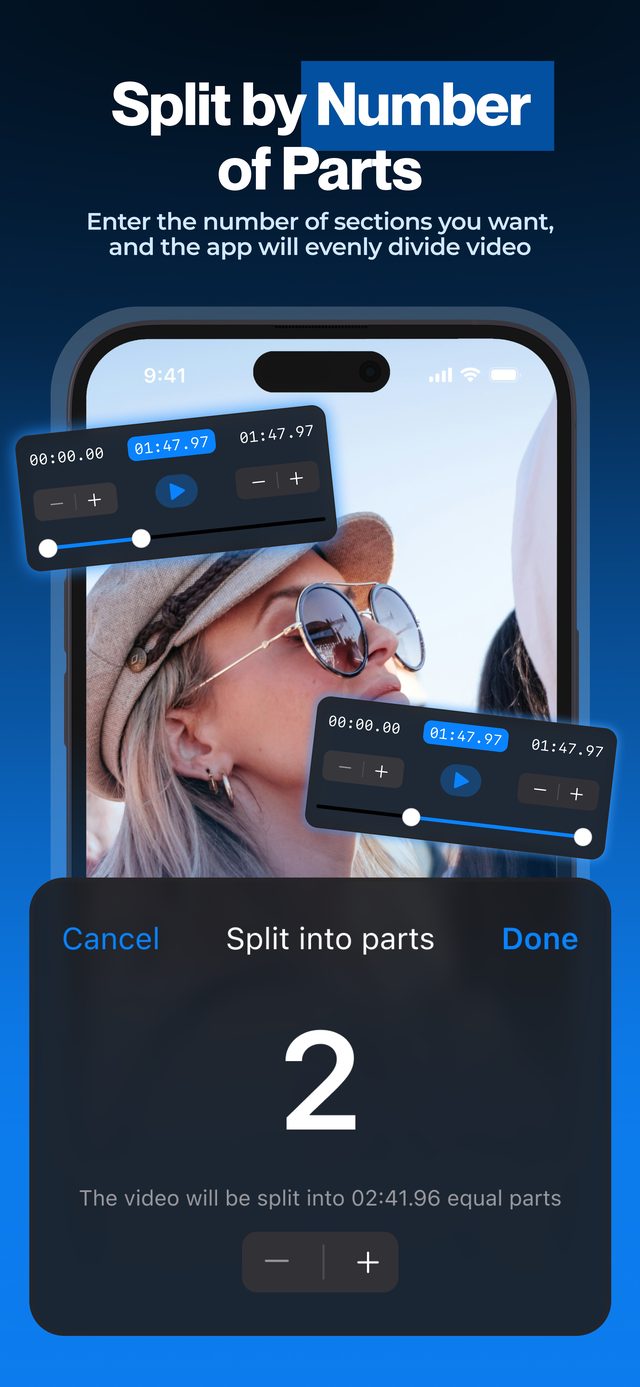
A 5 GB family video becomes three parts under 2 GB, sent as documents in original quality — without uploading it anywhere.
Frequently asked
What is the maximum video size on WhatsApp?
2 GB per file when you send the video as a document. Regular video messages are compressed, and WhatsApp's help pages put their limit at around 64–100 MB.
How do I send a video on WhatsApp without losing quality?
Send it as a document: in the chat tap + → Document → Choose Photo or Video and pick it. Tapping HD on a regular video message sends it in 720p — better than standard, but still compressed.
Why is my video cut short on WhatsApp Status?
Status videos can be up to 90 seconds, and WhatsApp only lets you trim longer ones. To post the whole video, split it into 90-second parts and post them one after another — see how to split a video for WhatsApp Status.
How many parts do I need?
Divide the file size by 2 GB and round up: a 4.5 GB video needs 3 parts. To be safe, add one more.
Is it free?
Splitting short videos is free. Long videos need Pro.
More ways to split
Start splitting videos in seconds.
Free download. No account required. Works offline.
Download on theApp Store