Split a video into equal parts — 2, 3, 10, or 100
Sometimes you just need a video in exactly N pieces: halves to send in two messages, thirds for a carousel, ten segments for a course, a hundred micro-clips for an archive.
Desktop editors are overkill for that. Split Video Into Parts asks for one number and does the math — every segment identical in length, computed to the millisecond.
What the equal-parts mode does
One input, evenly divided output.
| You choose | The number of parts |
|---|---|
| You get | Parts of identical length, to the millisecond |
| How many | From 2 up to one part per second of video (Pro) |
| Source length | Long videos with Pro — a 7-hour video took 10–15 minutes |
Prefer duration-based cutting instead? The same app splits by time interval or fully manually with a range slider.
How to split a video into equal parts
Pick your video
Any length, any orientation, up to 4K, from your library or Files.
Choose the number of parts
Tap Parts, set 2 to cut a video in half, 3 for thirds — or 50 — and tap Done. The app divides the video evenly.
Adjust if you like
Every boundary stays editable — nudge any cut with the slider or exact timecodes.
Export
Tap Export — all parts save to Photos, numbered and ready to use.
The boring math, handled
No calculator needed
The app computes each segment's start and end for you — 47 minutes into 6 parts is not mental arithmetic anyone enjoys.
Consistent lengths for series
Equal parts look intentional when posted as a sequence — same rhythm, same pacing, every time.
Projects autosave
Split into 10 today, come back tomorrow — your project and every cut are still there.
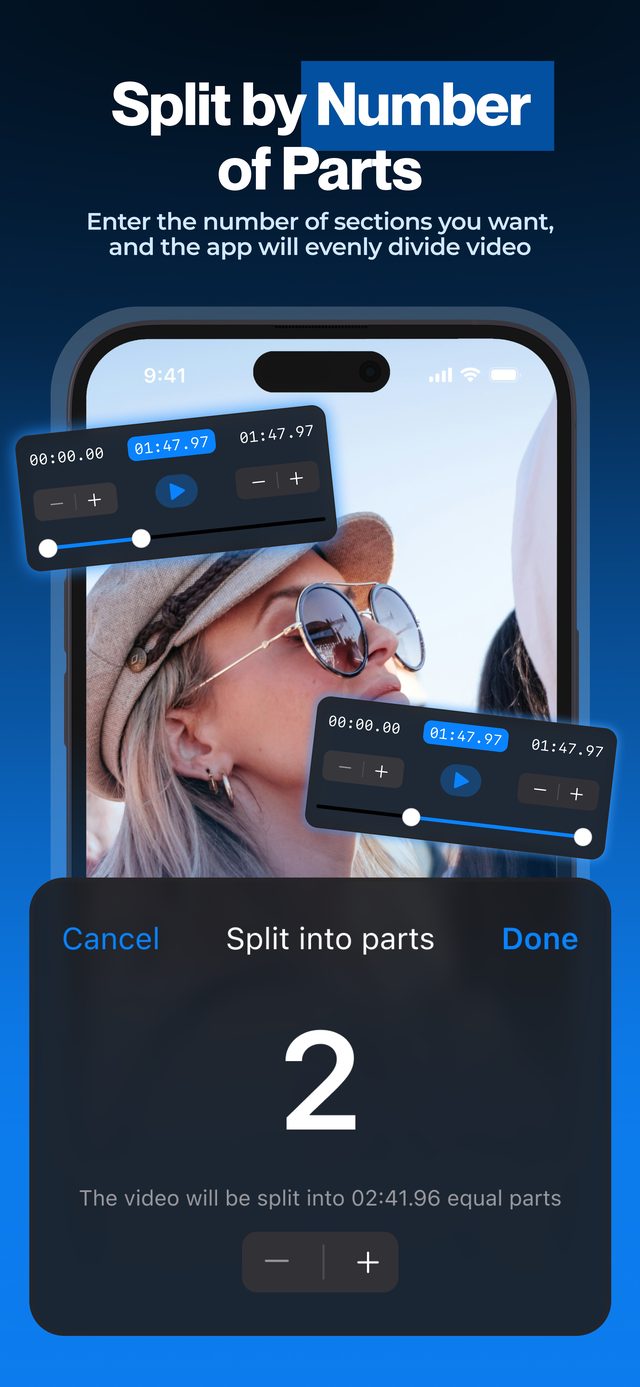
Type a number, get identical segments. The most-loved mode in the app for a reason: it removes every decision except the one that matters.
Frequently asked
How do I split a video in half?
Tap Parts, set 2 and tap Done. You get two parts of identical length, cut at the exact midpoint. More in our guide on splitting a video in half.
Will the last part be shorter than the others?
No. The app divides the total duration evenly across all parts, to the millisecond, so every segment matches.
How many parts can I split into?
With Pro, up to one part per second of video — creators split videos into 50 or 100 segments for archives and micro-content. The free version splits short videos into a few parts.
Can I move a cut after the automatic split?
Yes. Every boundary remains editable — drag the slider or type a timecode, and only that cut changes.
Does it work on very long videos?
Yes, with Pro. One reviewer split a 7-hour video in about 10–15 minutes, entirely on-device.
More ways to split
Start splitting videos in seconds.
Free download. No account required. Works offline.
Download on theApp Store